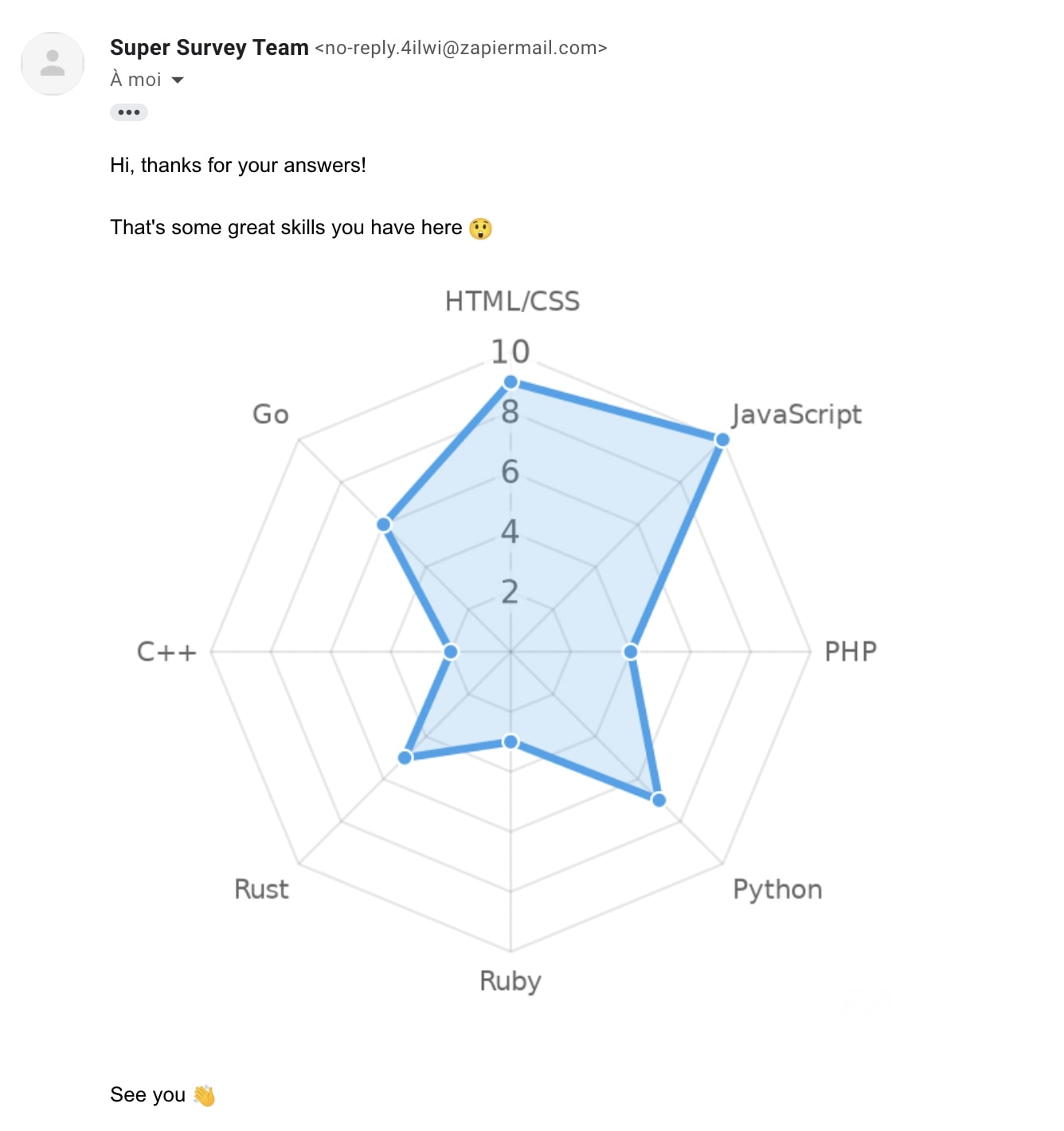
Charts from Typeform
Typeform is a great app to make surveys. We'll see here how we can generate a form and send each respondent a custom-made radar chart.
Create your form
- Go to typeform.com and create an account (or login).
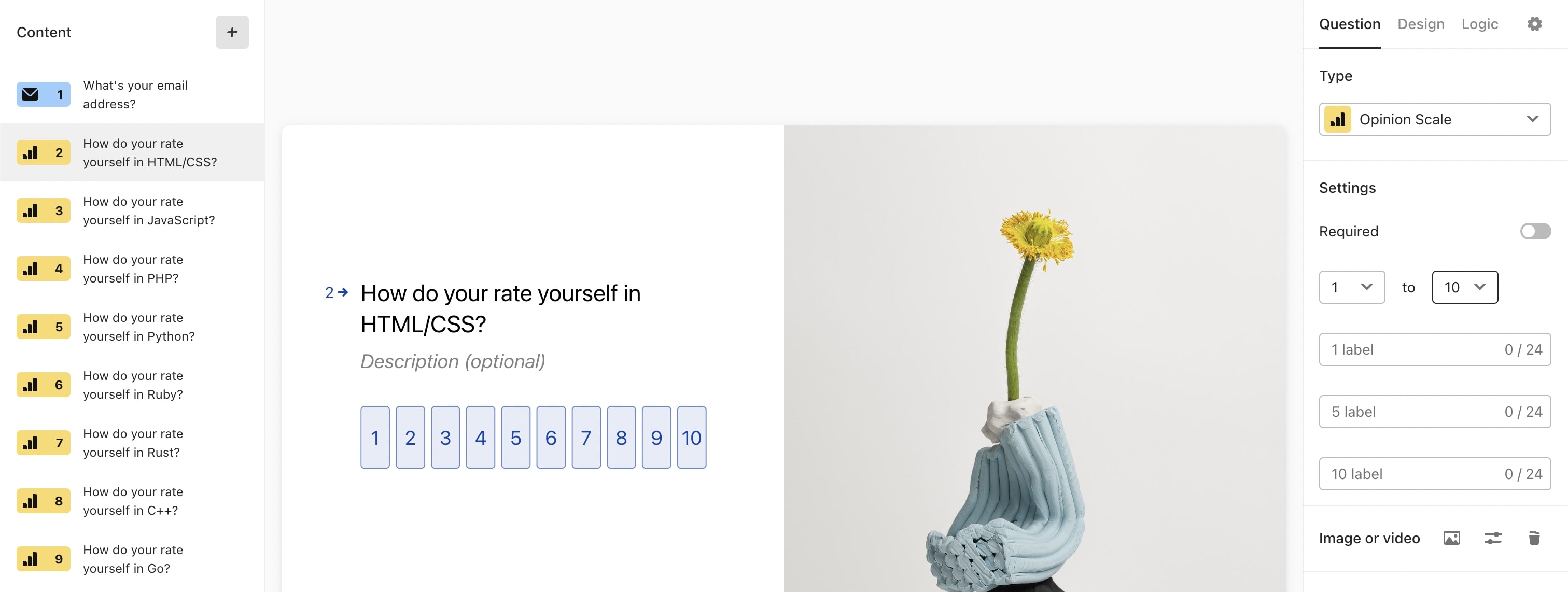
- Create a form asking the respondent email (type Email), and a series of Opinion Scale questions from 1 to 10. In our example we'll ask the user to rate his programming language skills, hopefully you'll be more creative than us!
Create the image with Zapier & Image-Charts
We'll use Zapier in our guide, but you can also do this with Make.com (Integromat).
- Go to zapier.com and create an account (or login).
- Create a new Zap
Chose Typeform as a Trigger, and then follow the steps to use your form.
When asked for what action to use, select Image-Charts with the "Create a Chart.js Chart" event.
Copy/Paste the following Chart.js configuration object and replace the placeholders by Zapier values, and the labels if you wish to:
{
  type: 'radar',
  data: {
    labels: ['HTML/CSS', 'JavaScript', 'PHP', 'Python', 'Ruby', 'Rust', 'C++', 'Go'],
    datasets: [
      {
        data: [PLACEHOLDER_HTML_CSS, PLACEHOLDER_JAVASCRIPT, PLACEHOLDER_PHP, PLACEHOLDER_PYTHON, PLACEHOLDER_RUBY, PLACEHOLDER_RUST, PLACEHOLDER_C_PLUS_PLUS_, PLACEHOLDER_GO],
        fill: true,
        backgroundColor: 'rgba(54, 162, 235, 0.2)',
        borderColor: 'rgb(54, 162, 235)',
        pointBackgroundColor: 'rgb(54, 162, 235)',
        pointBorderColor: '#fff',
      },
    ],
  },
  options: {
    legend: {
      display: false,
    },
    layout: {
      padding: 10
    },
    scale: {
      ticks: {
        beginAtZero: true,
        stepSize: 2,
      },
    },
  },
}
These options were tested on our charts editor, you can play with it:

Then set the following values:
- Version:
Chart.js 2.8.0 - Chart width:
600 - Chart height:
600 - Chart background color in hexadecimal format:
#fff - Retina support:
Activate retina mode and double image size
Send it via email
We are almost there! The last step is sending the generated chart to the user. To do this:
- Click on the Plus (+) icon at the bottom of the page to add a new step
- Select your own email provider if you have one, or use "Email by Zapier" to test it
Set the following values:
- To:
PLACEHOLDER_TYPEFORM_USER_EMAIL - Subject:
Your programming languages skills as a chart! - Body (HTML or Plain):
Hi, thanks for your answers! <br />
<br />
That's some great skills you have here <br />
<img src="PLACEHOLDER_IMAGE_CHARTS_URL" /> <br />
<br />
See you
(don't forget to replace PLACEHOLDER_TYPEFORM_USER_EMAIL by the typeform user email and PLACEHOLDER_IMAGE_CHARTS_URL by the Zapier generated image url)
- From Name:
Super Survey Team
Continue, test the action and you should receive an email like the following: